
Microsoft Teams®
With CNT Call Manager, you integrate Microsoft Teams seamlessly into your business communications. Start calls directly from Microsoft Teams, synchronize presence statuses bidirectionally, or use the Microsoft Teams client as a fully featured softphone. This combines the familiar Microsoft Teams interface with the powerful communications capabilities of CNT Call Manager and creates seamless workflows throughout the working day.

CM Teams Plugin
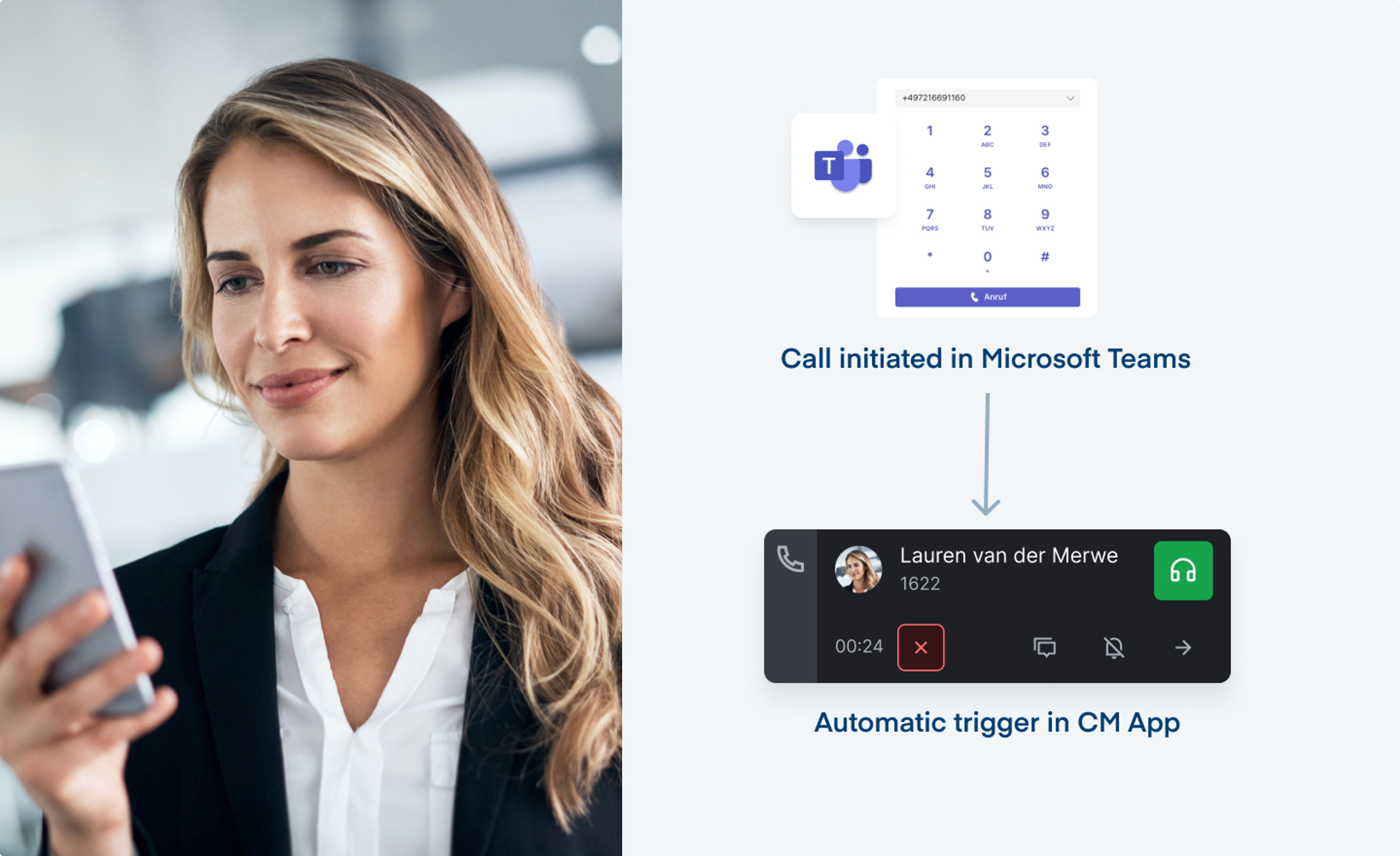
With CM Teams Plugin, users start calls directly from Microsoft Teams via CNT Call Manager. Microsoft Teams remains the familiar workspace, while CNT Call Manager provides professional telephony in the background.
A call can be initiated directly from Microsoft Teams and, depending on the configuration, handled through CM App, a desk phone, or another assigned endpoint. This allows organizations to combine the high user acceptance of Microsoft Teams with the performance, flexibility, and administrative control of CNT Call Manager.
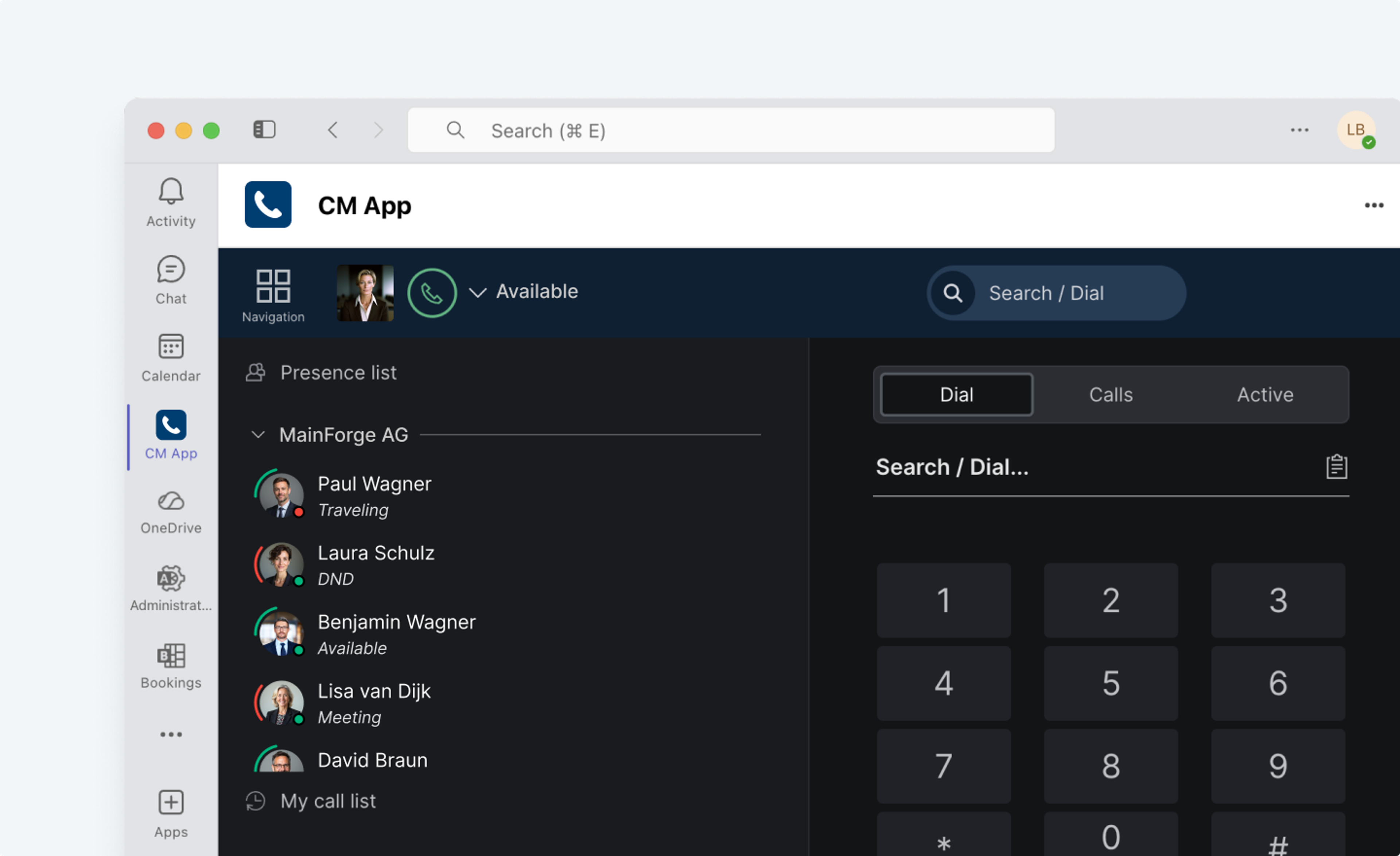
CM Teams Plugin is ideal for organizations that use Microsoft Teams as their central collaboration platform but want to continue managing their telephony entirely in CNT Call Manager.

CM Teams Sync
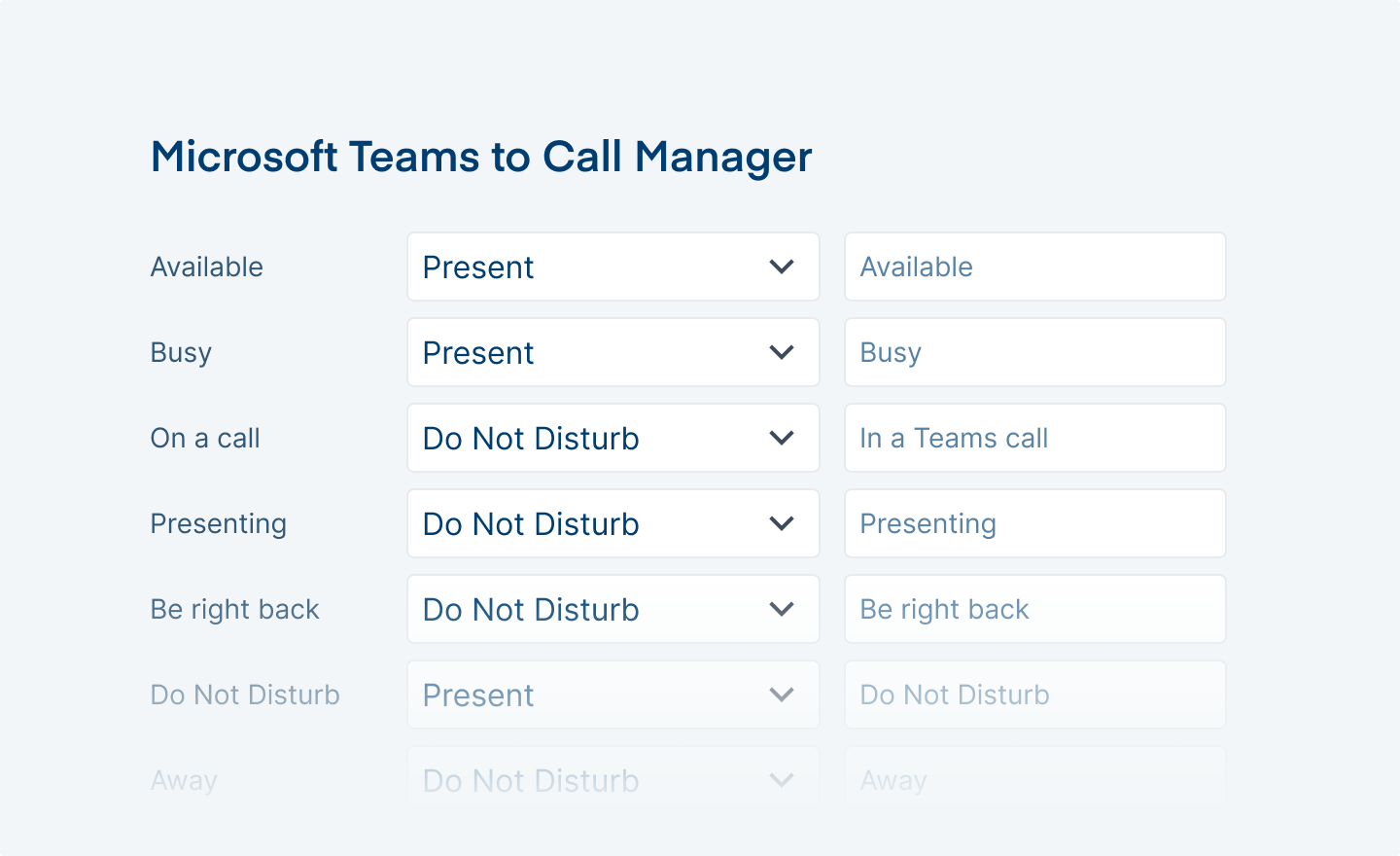
CM Teams Sync synchronizes presence statuses between CNT Call Manager and Microsoft Teams bidirectionally. Changes are automatically transferred to the other system, eliminating the need for users to switch their status manually between 'available' and 'busy'.
The presence status set in CNT Call Manager is automatically transferred to Microsoft Teams and vice versa. For example, when a user joins a Teams meeting, their presence status in CNT Call Manager is automatically set to 'busy'.
The synchronization works independently of whether users make calls using a softphone or a desk phone. This keeps presence statuses consistent across systems.
.png?w=3840&auto=format)
Presence status synchronization can be configured precisely using presets. You can define which presence statuses, such as 'away' or 'do not disturb', are synchronized between CNT Call Manager and Microsoft Teams and whether synchronization applies to telephony, chat, or both communication channels.
.png?w=3840&auto=format)

CM Teams Connect
CM Teams Connect connects the Microsoft Teams client to CNT Call Manager as a softphone. Users can therefore make calls through Microsoft Teams while continuing to use desk phones or other devices in parallel.
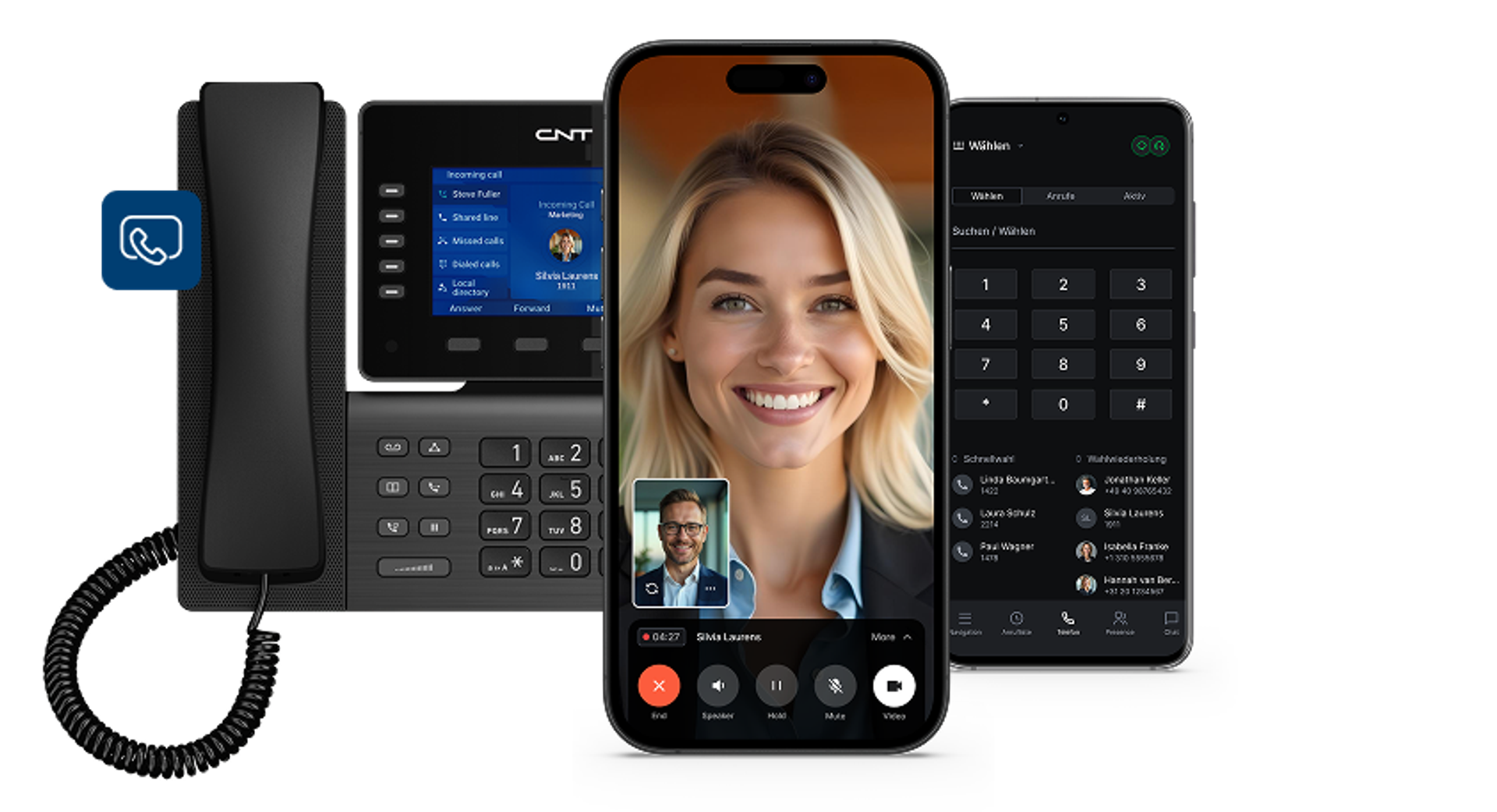
CNT Call Manager provides the connection to the public telephone network and extends Microsoft Teams with the capabilities of a professional cloud PBX. SIP phones, DECT systems, and analog or technical equipment such as fax machines, door intercom systems, or barrier controls can also be integrated. This allows organizations to incorporate Microsoft Teams into a comprehensive communications environment without having to replace existing devices and infrastructure.
The telephony integration uses the interfaces provided by Microsoft and a Session Border Controller. The SBC connects Microsoft Teams to CNT Call Manager in a controlled manner and provides secure signaling and media transmission between the systems.
CM Teams Sync and CM Teams Connect can be activated specifically for the users who benefit from them most. This ensures that every employee receives exactly the tools they need.
Non-binding offer
Schedule an appointment for your trial deployment now
Experience the CNT Call Manager live — fully tailored to your needs and preferences, in just three days!
Schedule an appointment