
Braille Display
CNT Call Manager supports accessible telephony workstations for blind and severely visually impaired users, as well as workplace environments with accessibility requirements based on WCAG 2.1 and EN 301 549. A Braille display provides tactile access to essential telephony information and controls – from caller information and call status to call handling. This enables professional business communications wherever accessible IT is not only desirable, but essential.
Accessible Telephony Workstations
The Braille Display integration extends CNT Call Manager with a dedicated interface for users who cannot fully rely on visual information.
Essential telephony information can be presented through a connected Braille display, giving users tactile access to caller information, phone numbers, call status, and available actions. This enables structured and efficient use of telephony features.
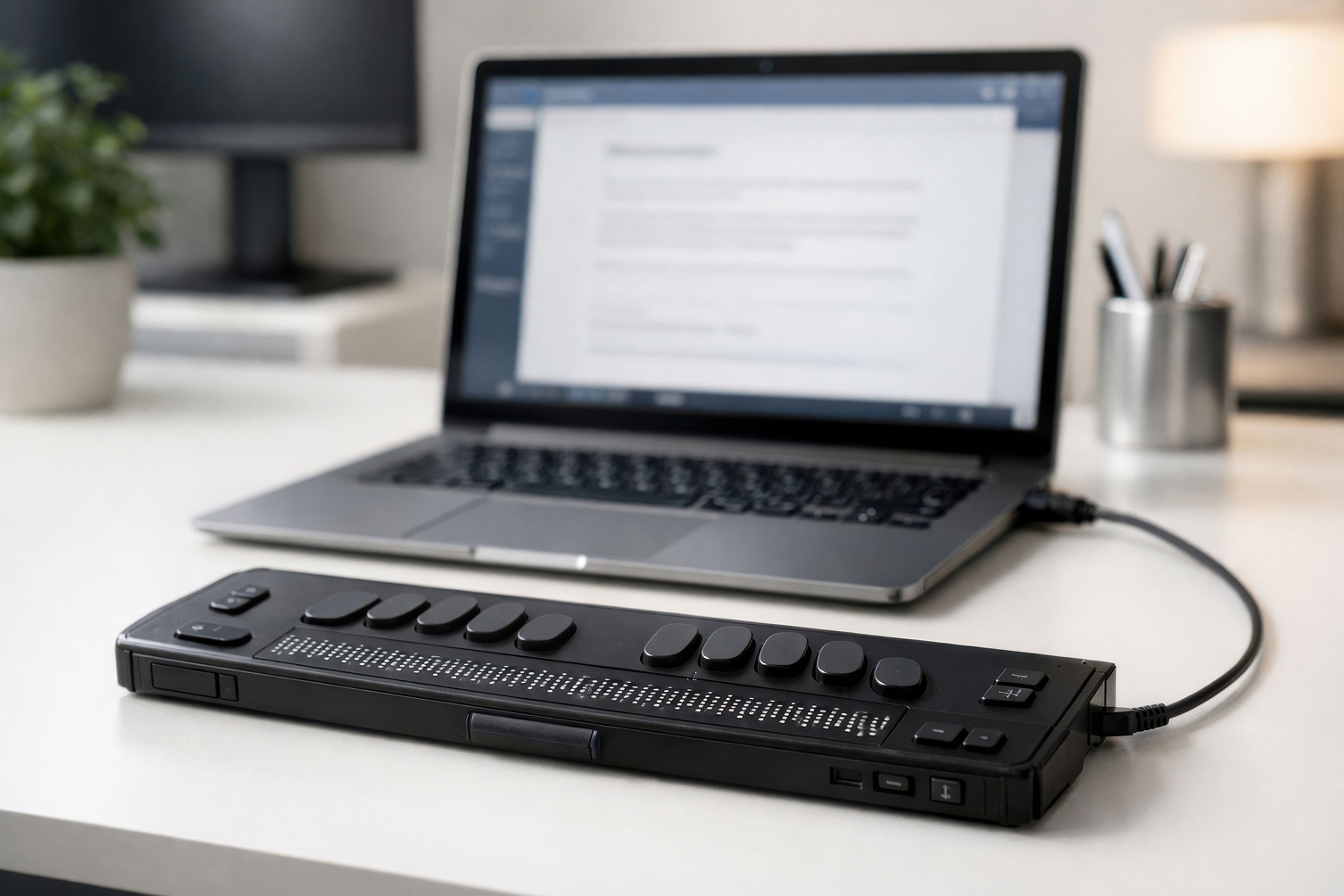
Combined with keyboard-based navigation, core telephony functions can be operated without visual feedback, creating a reliable communications environment for users with visual impairments.
Tactile Access to Telephony Information
A Braille display transforms information typically presented visually into tactile output. This allows users to recognize important events and call status changes immediately and respond with confidence.
Depending on the configuration, tactile output can include caller information, phone numbers, call status, incoming calls, active calls, and selected telephony functions. The Braille display provides clear orientation and supports independent operation at the telephony workstation.
For Accessible IT Environments
Many organizations must ensure that digital workplaces are accessible to people with disabilities. This is particularly important in the public sector, regulated industries, and organizations with defined accessibility requirements.
The Braille Display integration for CNT Call Manager supports these environments by enabling inclusive telephony workstations. It complements accessibility features such as keyboard navigation, screen reader compatibility, and readable user interfaces with an additional tactile interaction layer.
Non-binding offer
Schedule an appointment for your trial deployment now
Experience the CNT Call Manager live — fully tailored to your needs and preferences, in just three days!
Schedule an appointment