
Presence
See who is available and communicate more efficiently

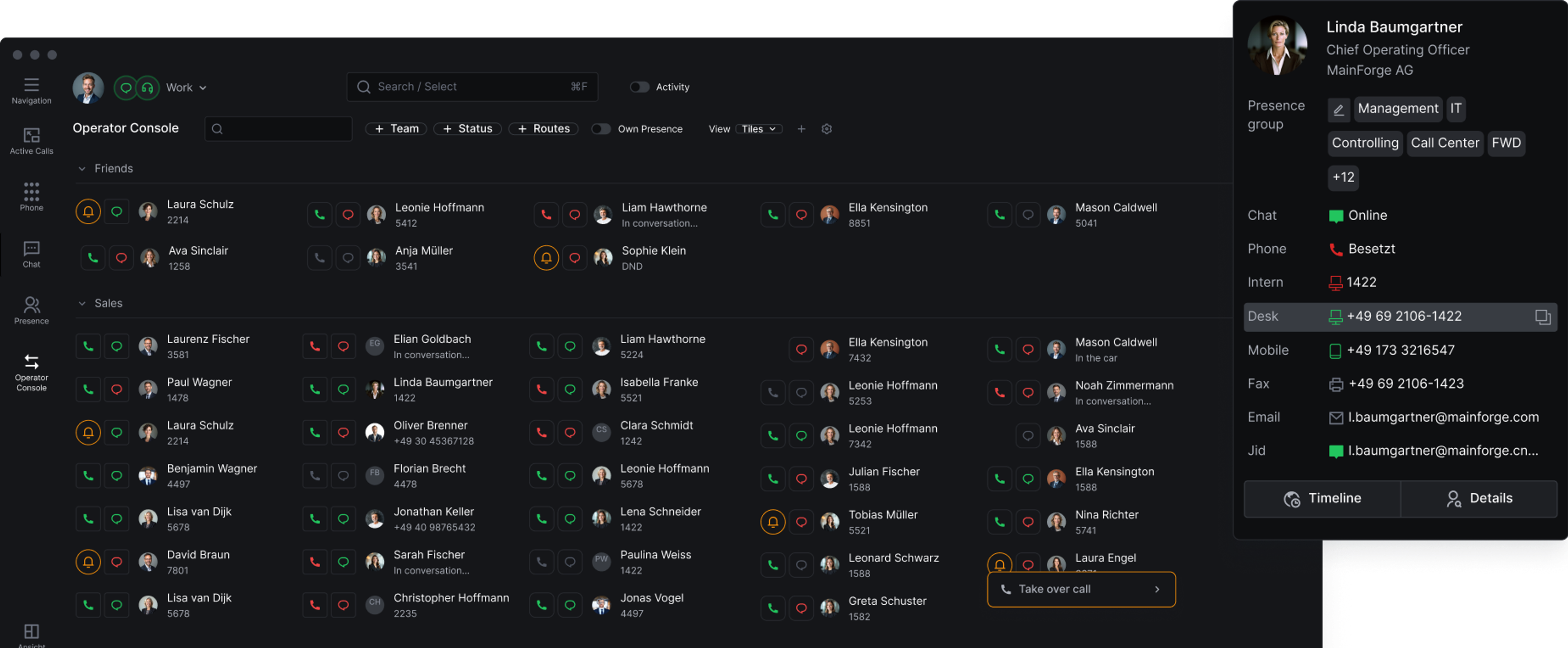
Presence provides a clear, real-time overview of your team members’ presence statuses. It shows immediately who is available, busy, away, or offline. Presence statuses for telephony and chat can be managed independently, allowing users to adapt their availability to their current work situation and each communication channel.
Real-Time Presence Status
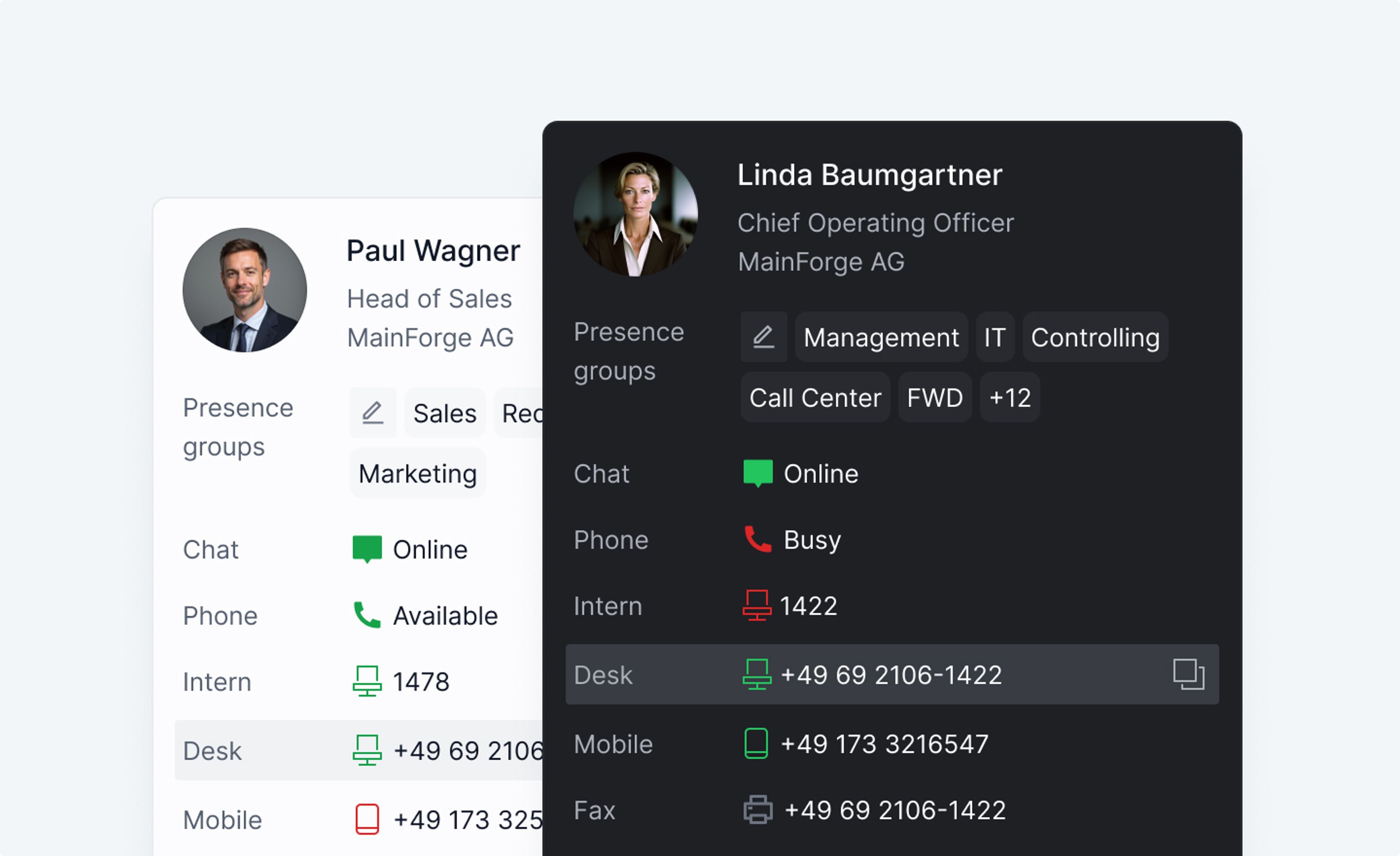
The presence status display in CNT Call Manager shows which communication channels team members are available on. Presence statuses for telephony and chat are displayed separately, making it possible to determine whether a call or chat message is the more appropriate way to make contact.
Presence Status for Telephony
The presence status for telephony shows in real time whether a team member is available for calls, already on a call, or currently unavailable. This helps users coordinate calls, callbacks, and call transfers more effectively while avoiding unnecessary contact attempts.
Presence Status for Chat
The presence status for chat shows whether a team member is available, busy, away, or offline. Users can therefore better assess whether an immediate response can be expected or whether another communication channel should be used.
Separate Presence Statuses for Telephony and Chat
Presence statuses for telephony and chat can be set independently. A team member can, for example, remain available through chat while on a call. Conversely, the chat status can automatically change to 'unavailable' while the user is on the move, without affecting their availability by phone. Managing the two statuses separately reflects different work situations more accurately and allows users to define their availability individually for each communication channel.
Individual Profiles for Different Work Situations
Configurable profiles allow multiple settings to be managed together. These include presence statuses for telephony and chat, call forwarding, and notifications. Profiles such as “Break,” “Meeting,” or “Out of Office” can be activated manually or automatically based on schedules and calendar information. This allows users to adapt their communication to the current work situation with a single selection, whether they are at their desk, on the move, or in a meeting.
Presence Statuses of External Participants via XMPP
Compatible external communication services can be connected through the standardized Extensible Messaging and Presence Protocol, or XMPP. This enables the presence statuses of external partners, customers, and service providers to be displayed within the communications environment. Using an open standard simplifies integration with existing XMPP-compatible systems and supports collaboration across organizational boundaries.

All presence functions are available to every user as a standard feature.

CM Teams Sync
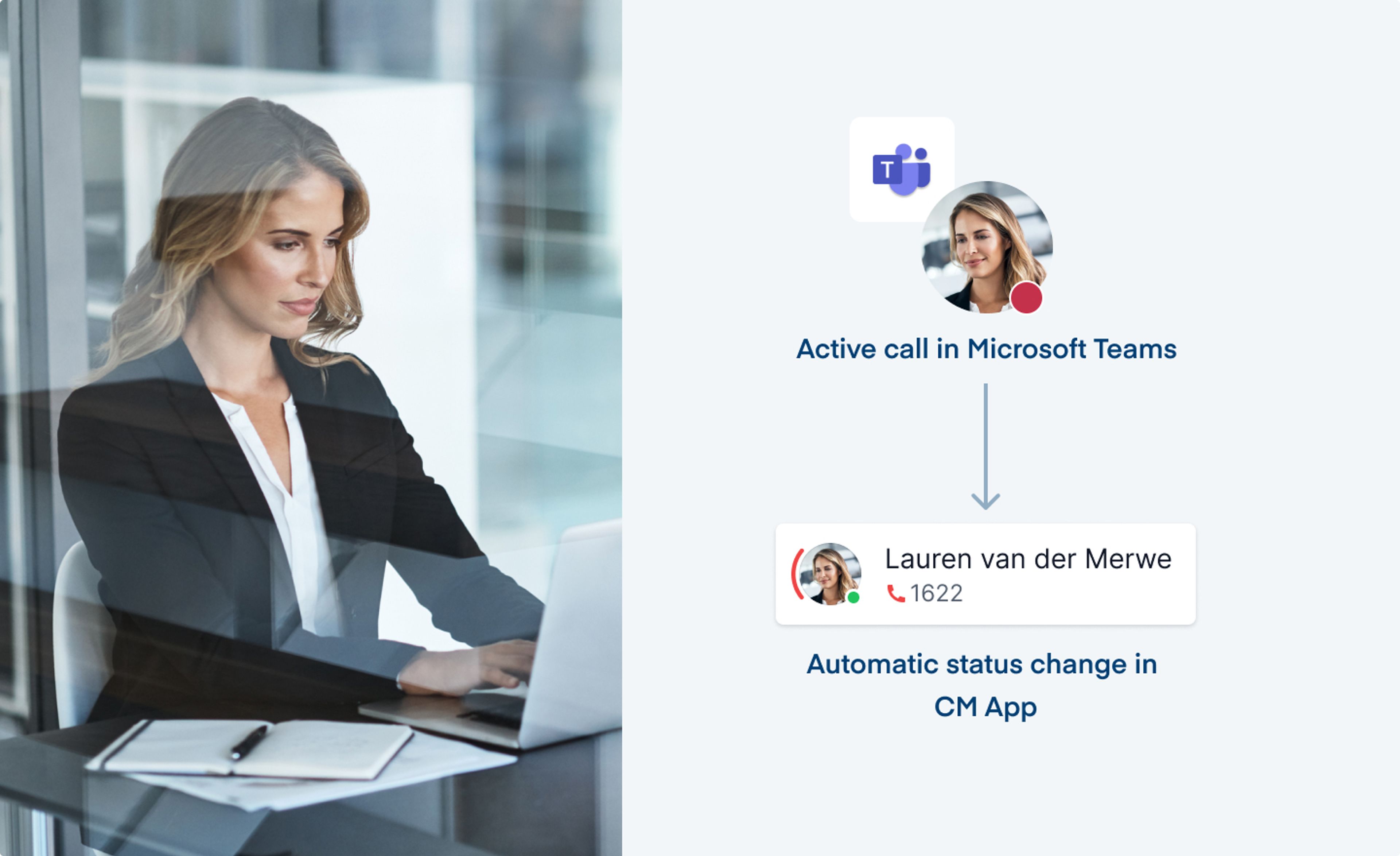
CM Teams Sync synchronizes presence statuses bidirectionally between CNT Call Manager and Microsoft Teams. Changes are automatically transferred to the other system, eliminating the need for users to adjust statuses such as ‘available‘ or 'busy' manually.
Automatic Status Updates
A presence status set in CNT Call Manager is automatically transferred to Microsoft Teams and vice versa. For example, when a user joins a Teams meeting, their presence status in CNT Call Manager is automatically set to 'busy'.
Independent of the Device Used
Synchronization works regardless of whether users make calls using a softphone or a desk phone. This keeps presence statuses consistent across both systems.
Individually Configurable Synchronization
Presence status synchronization can be configured using presets. Administrators can define which presence statuses, such as 'away' or 'do not disturb', are synchronized between CNT Call Manager and Microsoft Teams and whether synchronization applies to telephony, chat, or both communication channels.
Non-binding offer
Schedule an appointment for your trial deployment now
Experience the CNT Call Manager live — fully tailored to your needs and preferences, in just three days!
Schedule an appointment